 DWG Viewerdwg-viewer-cad.web.app
DWG Viewer for Web & Android
Open, measure and mark up AutoCAD DWG and DXF drawings, and view 3D CAD models, free in your browser or on your phone.
View, measure & mark up 2D and 3D drawings
A CAD reader that opens straight away
DWG, DXF and 3D models open in the browser on any computer, or on your Android phone. No CAD licence, no desktop install, nothing to set up.
The same drawing at your desk and on site
Check a plan on the big screen, then open it again on your phone from Files, Drive, Gmail or WhatsApp when you are on site. The app works offline.
Your file never leaves your device
The viewer reads the drawing right where it is. Nothing is uploaded to us or to anyone else, so client drawings stay private.
Try it right here
A real floor plan in the online viewer. Pan, zoom, turn layers off and measure a room.
Sample floor plan.dxfdwg-viewer-cad.web.app/online-dwg-viewerOpens the viewer in this box.
Why DWG Viewer?
Fast to open, simple to use, free for every drawing.
2D and 3D views
Switch any DWG or DXF between the flat sheet and a 3D model you can orbit, with each layer lifted apart.
Layers
Turn layers on and off to read just the walls, the wiring or the dimensions.
Find text
Search room names, tags and notes and jump straight to them on the sheet.
Measure with snapping
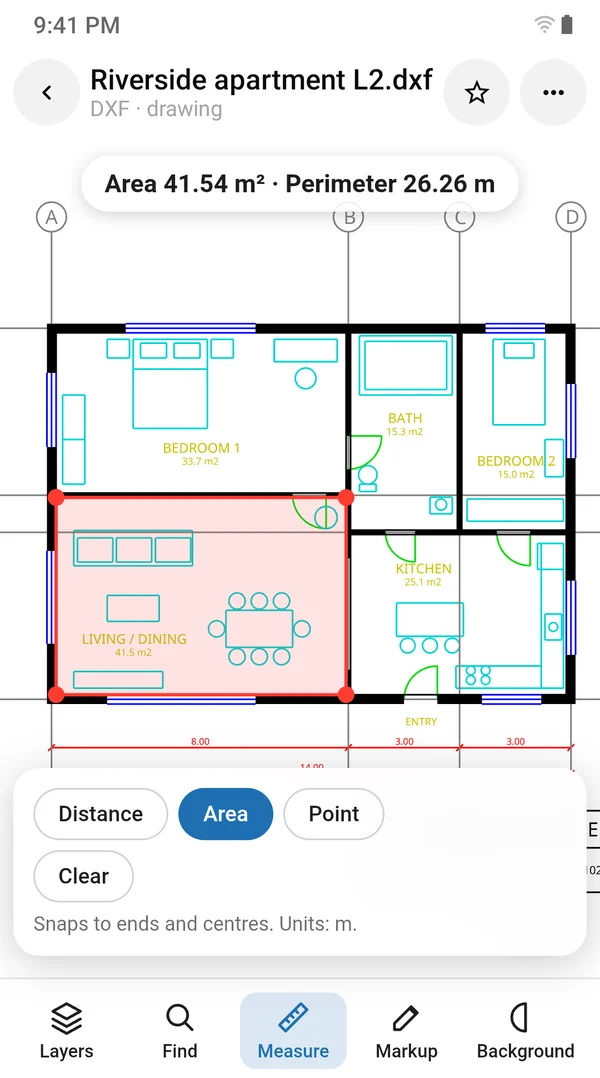
Distance, angle, area and coordinates that snap to ends, midpoints and centres.
Markup
Circle a problem, draw an arrow or write a note in colour on top of the drawing.
Save as PNG
Export the view with your markup as an image to send in chat or by email.
DWG to DXF
Convert an AutoCAD DWG to DXF in one click, right in the browser.
3D model formats
IFC, STEP, IGES, STL, OBJ, PLY, 3MF, glTF and Rhino 3DM, with standard views and wireframe.
Section and explode
Cut a model open or pull its parts apart to see what is inside.
Dark or light sheet
Read the drawing on black like your CAD program, or on white like a print.
Nothing uploaded, works offline
Files are read on your device, even with no signal on site. No account, no cloud copy of your drawings.
PDF and photos too
The app also opens PDF documents and photos (PNG, JPG, HEIC, WebP) next to your drawings, so a whole project folder is in one place.
Open drawings on every device
The online viewer on your computer, the app on your phone. Same files, same tools.
In any browser, on any computer
Windows, Mac, Linux or a Chromebook: open the page, pick a file and it is on screen. Nothing to install.
- DWG, DXF and 3D models, read right in the browser tab
- Every tool is free on the web, including PNG export and DWG to DXF
- Full screen for checking a plan on a big monitor
In your pocket, on site
Open a drawing straight from Files, Drive, Gmail or WhatsApp. Recent and favourite drawings are one tap away, and everything works offline.
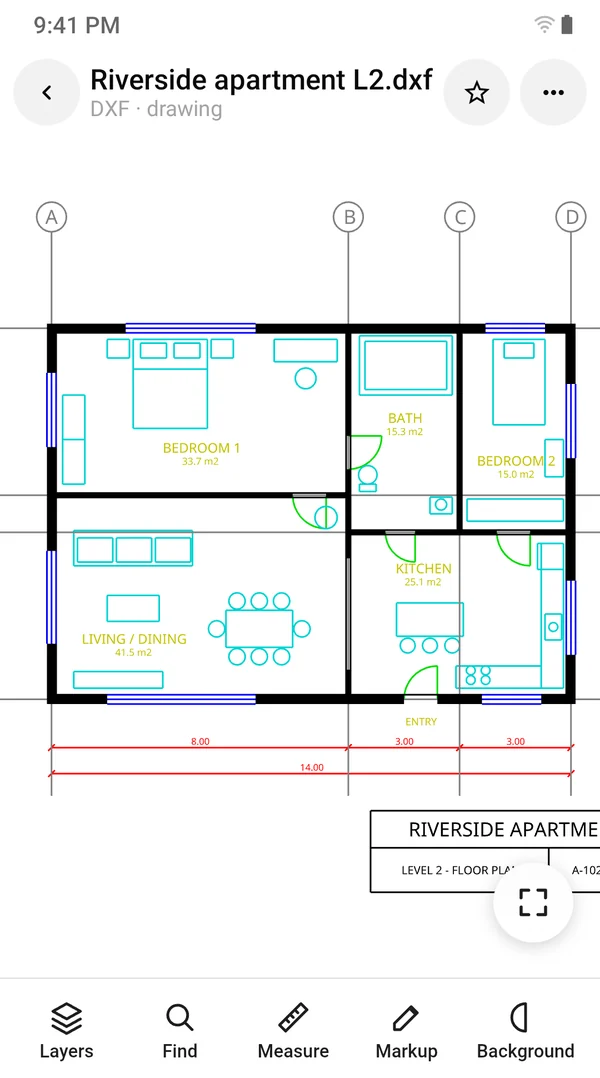
- Measure rooms and walls with snapping, right on site
- Mark up and send the picture back to the office
- Opens PDF and photos (PNG, JPG, HEIC, WebP) next to your drawings
- Pro: no ads, PDF export, 3D section and explode
iPhone app coming soon to the App Store.
Free to open and measure
The online viewer is free with every tool. In the Android app, Pro removes the ads and adds PDF export.
Free
Web and Android · $0
- Open DWG, DXF and every 3D format
- Layers, find text, dark or light sheet
- Measure, markup and save as PNG
- Convert DWG to DXF
- No account. The app shows ads.
DWG Viewer Pro
Android · yearly with a 3-day free trial, monthly or lifetime
- No ads anywhere
- Export to PDF
- Measure and markup without a video
- 3D section, explode and measure
- Google Play shows the price for your country
Questions, answered
Something else, or a file that won’t open? Email fighttech.vn@gmail.com.
Which files does DWG Viewer open?
2D drawings in DWG and DXF, including files saved by AutoCAD and most other CAD apps, and 3D models in IFC, STEP, IGES, STL, OBJ, glTF and GLB, PLY, 3MF and Rhino 3DM. The phone app also opens PDF documents and photos (PNG, JPG, HEIC, WebP).
Does it work without internet?
Yes. Drawings are read on your phone, so you can open them on site, in the field or on a plane. The free version needs a connection only to load ads.
Are my drawings uploaded anywhere?
No. Files are opened on the device and never uploaded to us or anyone else. The app keeps a private copy so they appear in Recent and Favorites; removing a drawing from the list deletes that copy.
Can I edit a DWG file?
DWG Viewer is a viewer. You can measure, draw markup on top and export the view, but it does not change or save the original CAD file.
What does DWG Viewer Pro add?
Pro removes every ad and opens all tools, including PDF export and the 3D section, explode and measure tools. You can also try any Pro tool for free by watching a short video. Choose yearly with a 3-day free trial, monthly or a one-time lifetime purchase.
A DWG file won’t open. What can I do?
Some very new or password-protected DWG files may not open. Saving the drawing again as DXF from your CAD app usually helps. Send the file to fighttech.vn@gmail.com and we’ll take a look.
Is there a version for my computer?
Yes. The free online DWG viewer opens the same files in your browser, without uploading them.
Got a drawing? Open it now.
In this browser, or on your phone with the Android app.